I make fabric patterns with AI and sell them on Spoonflower.
That sentence sounds tidier than it is. There is a step in the middle where you sit in Photoshop fixing edges for an hour, and a number at the end that is smaller than you would hope. I will show you both.
Here is what you will get: the exact Midjourney settings I use, two of my real prompts and the designs they produced, how I clean them up, what Spoonflower actually pays, and how I check a pattern before spending a cent on fabric.
How this started
I wanted a dress. The fabric in my head did not exist anywhere, so I designed it, uploaded it to Spoonflower, and bought two yards of my own fabric like a customer — then sewed it.
I have written that whole story already. I Designed My Own Fabric with AI — and Then Sewed It Into a Dress
Then I made the design public without thinking much about it, and someone I have never met bought it. That is when this turned into something other than a sewing project.
Step 1: I work out the prompt with Claude first
I do not open Midjourney first. I talk it through — mood, palette, the scale of the motif, whether it is tossed or ordered — and shape that into a prompt that actually says what I mean.
This is where most of the quality gets decided. Vague in, pretty-but-useless out.
Here are two of my real prompts, exactly as I ran them. Both of them became patterns that have sold.
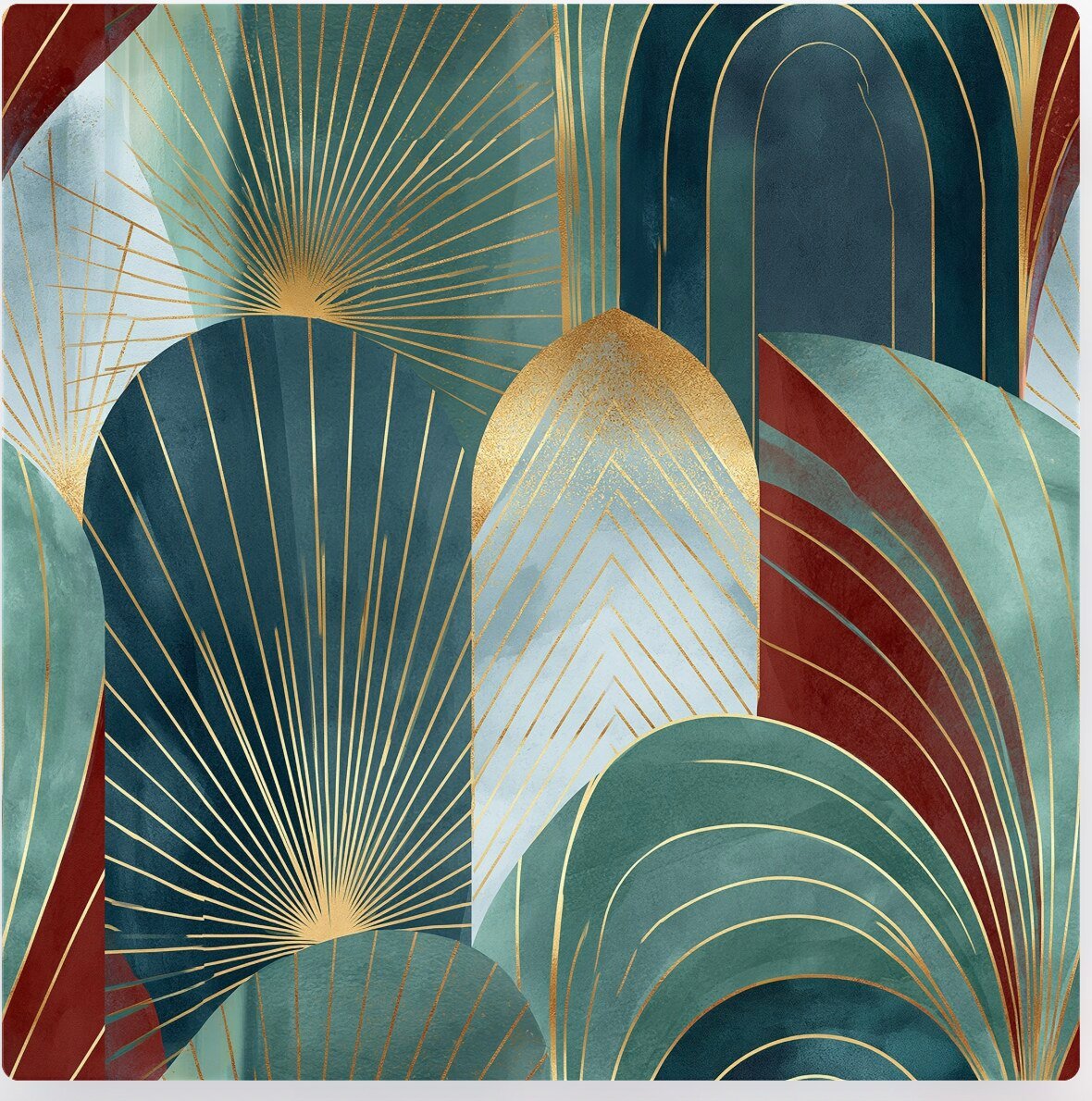
Art deco:
seamless repeating pattern, modern art deco geometric, fan arches chevrons and sunburst motifs, brass gold lines on dusty plum and deep teal, sleek elegant symmetry, polished vintage glamour, perfectly seamless tile with continuous edges
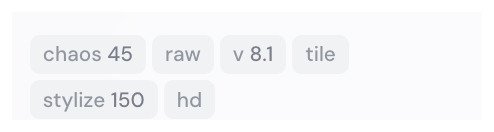
--tile --chaos 45 --stylize 150 --style raw --v 8.1
Mid-century:
seamless repeating geometric pattern, mid-century inspired interlocking shapes, teal mustard and cream palette, subtle hand-textured grain, evenly spaced grid that tiles perfectly with no seams, flat minimal vector-meets-painterly look, continuous edge-to-edge repeat
--tile --chaos 45 --stylize 150 --style raw --v 8.1
Those flags at the end are the settings, written the way you type them. I run hd quality as well, which is a toggle in the app rather than a typed parameter.
Notice what both of them do. They name the era, the specific motifs, the exact palette — and they say seamless and continuous edges more than once. That repetition is not clumsy. It is insurance.
Step 2: Midjourney — the settings matter more than the prompt
This is the part I wish someone had just told me, so here it is plainly. These are the settings I actually run:
| Setting | Value | Why |
|---|---|---|
--tile |
on | The critical one. Without it you do not get a repeat at all |
| Version | V8.1 | |
| Chaos | 45 | Gives me more variety across a batch |
| Stylize | 150 | Enough style without drifting off the prompt |
| Mode | raw | Strips out Midjourney’s instinct to prettify |
| Quality | hd | |
| Moodboard | yes | Keeps my patterns looking related to each other |
If you take one thing from this post, take --tile. Without it you get a lovely square picture that will never be fabric. With it, Midjourney actively tries to make the edges continue into each other.
I also run a moodboard, which keeps my designs looking like they came from the same person. That one is a bigger subject than it looks — I will write about moodboards on their own another time.
One honest note: I generate far more than I keep. Out of a batch, maybe two are worth taking further. That ratio has not improved much with practice — I have just gotten faster at deciding.
Step 3: Photoshop — where the real work is
--tile gets you close. It does not get you done.
Open the file and there are three things to do.
First, set the size and resolution
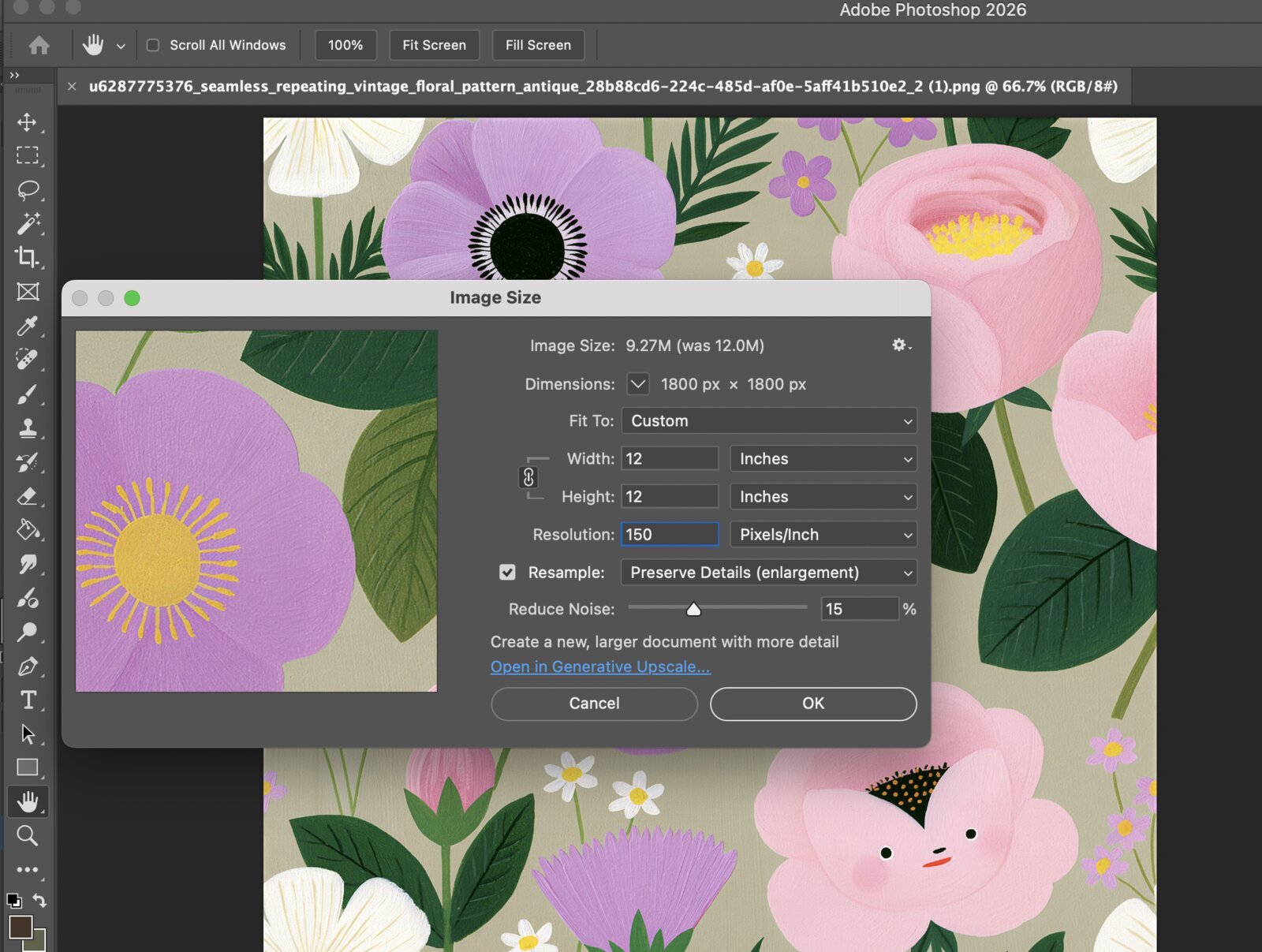
Before anything else I go to Image → Image Size and set the file up properly. Spoonflower prints from your resolution, so this one is not optional.
I work at 150 DPI, and I size the square at either 1800 × 1800px or 2048 × 2048px, depending on how large I want the repeat to sit on the fabric.
The arithmetic is worth understanding, because it decides your scale: 1800 pixels at 150 DPI is a 12-inch repeat. That is how big one full tile will be when it prints. If your motif looks right in a 12-inch square, it will look right on the yard.
Then find the seams
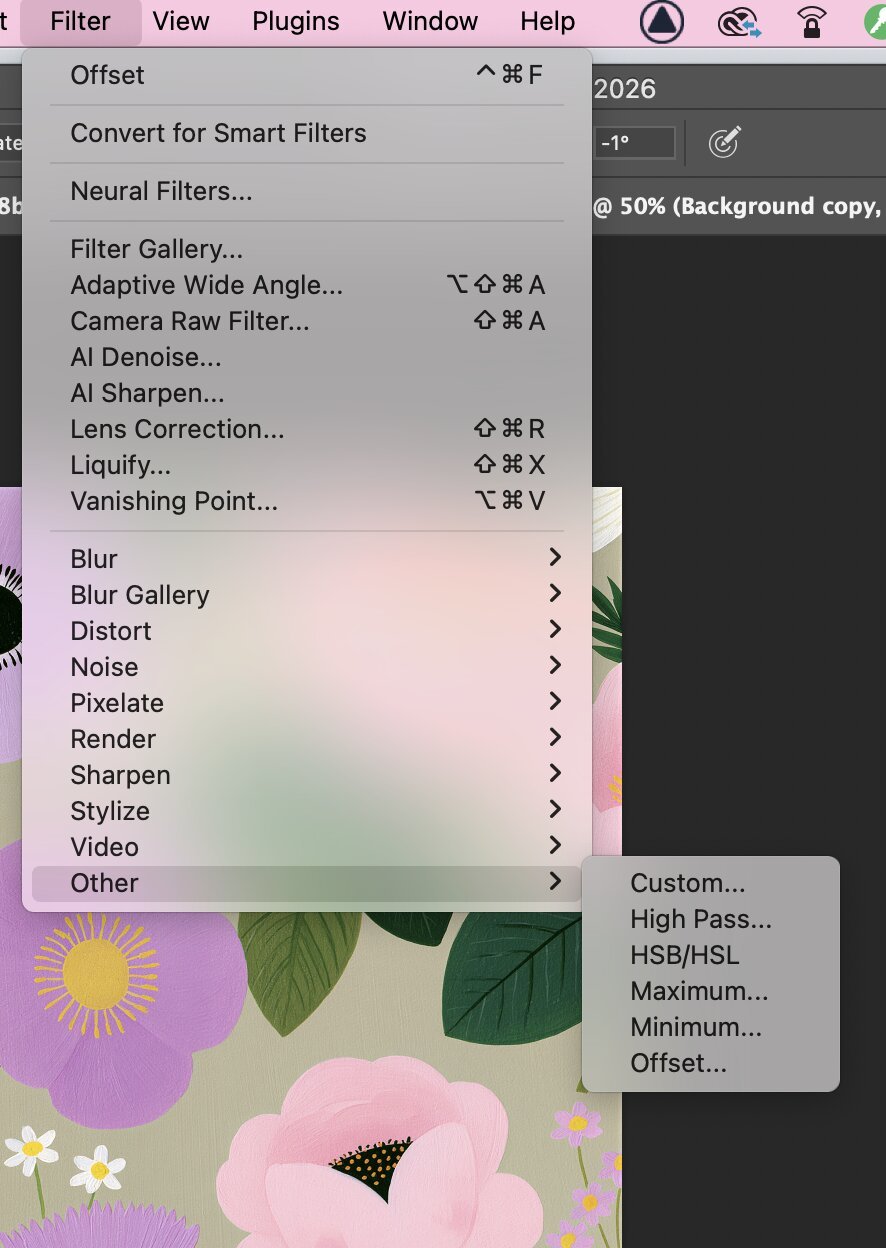
The fix is one menu: Filter → Other → Offset. Offset the image by exactly half its width and height, and every edge that was hiding at the border swings into the middle of your canvas where you can actually see it.
So the numbers are simple:
| Canvas | Offset by |
|---|---|
| 1800 × 1800px | 900 horizontal, 900 vertical |
| 2048 × 2048px | 1024 horizontal, 1024 vertical |
Set Undefined Areas to Wrap Around, and there they are.
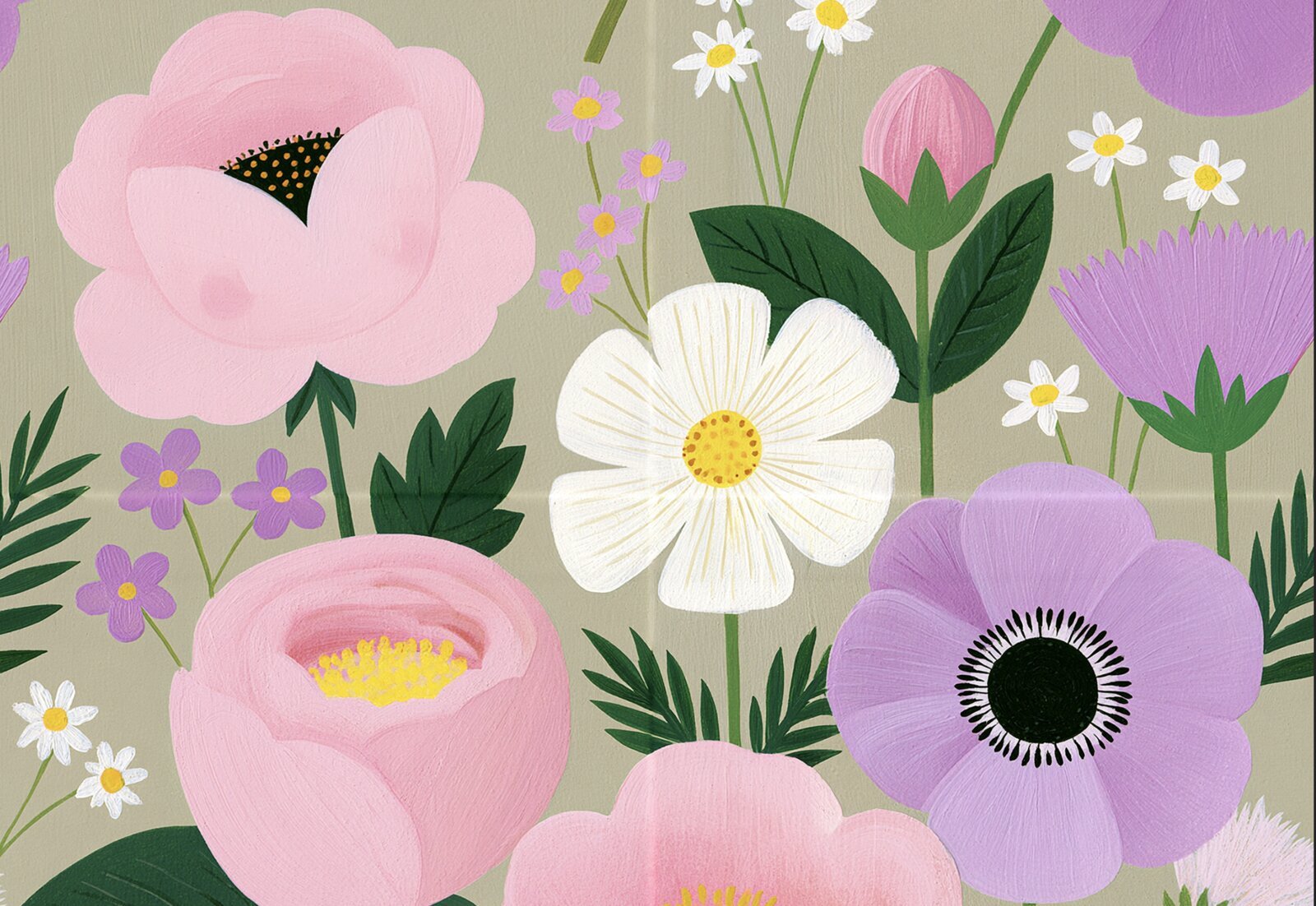
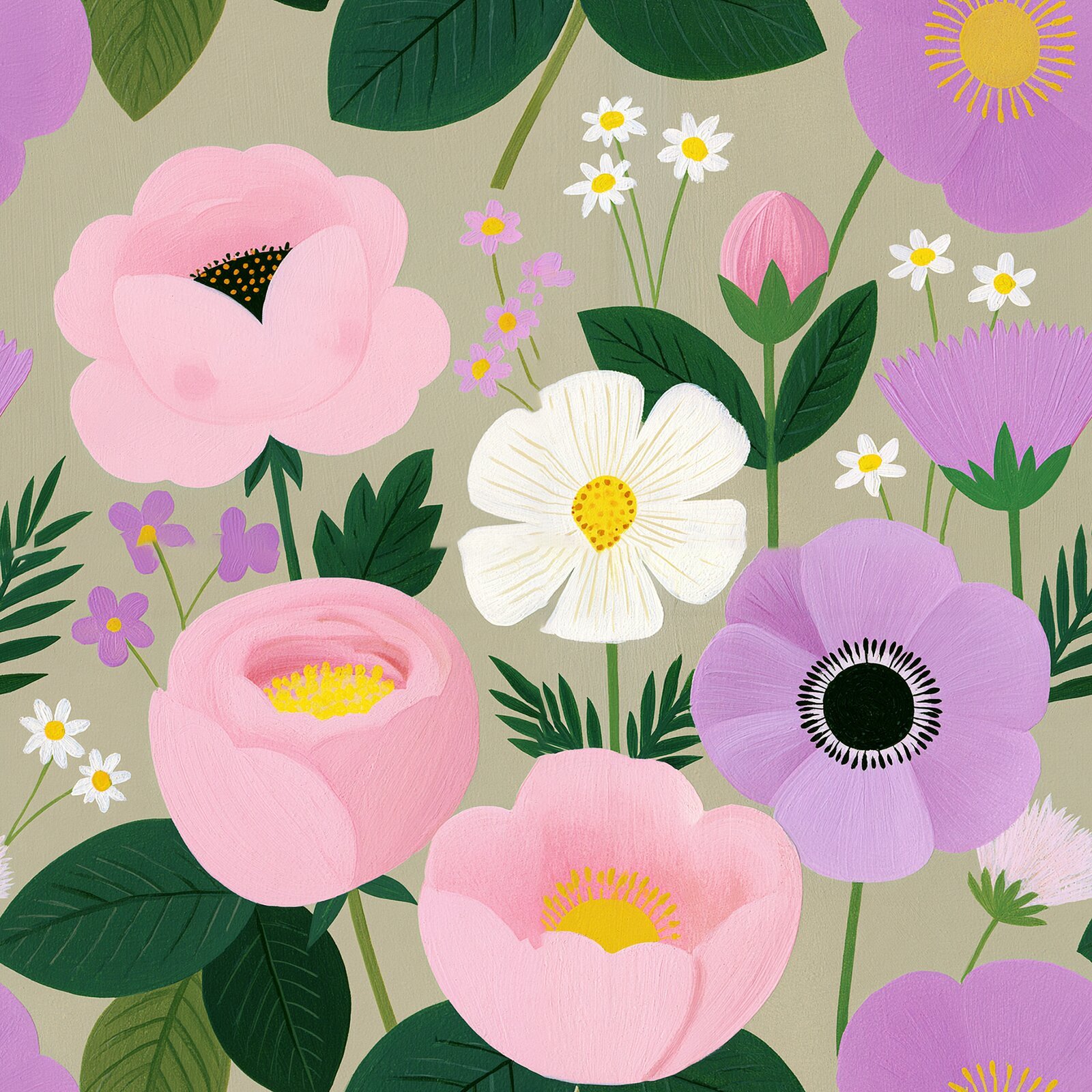
Look at that one closely. You can see a faint line running vertically and another horizontally — that is where the tile meets itself. On screen it is subtle. Printed on a yard of fabric, repeating every twelve inches, it is a stripe.
Then I go over it with the Spot Healing Brush until nothing gives it away.
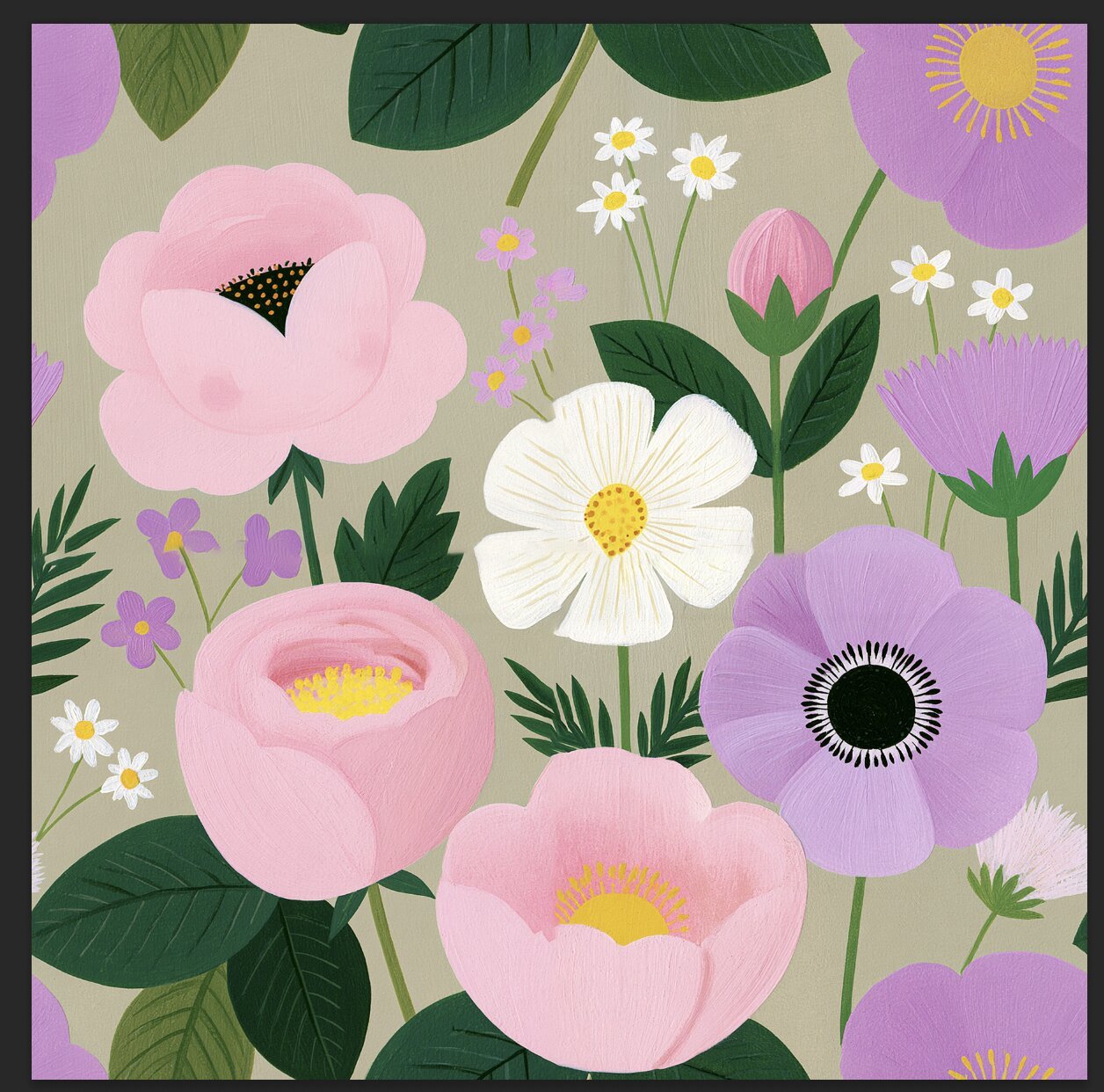
Offset again to check your work, and repeat until you cannot find the join.
And whatever strange thing the AI decided to add. On this floral, one of the pink blooms came out with a face. Two eyes, a small orange mouth, and — I promise I am not making this up — blushing cheeks.
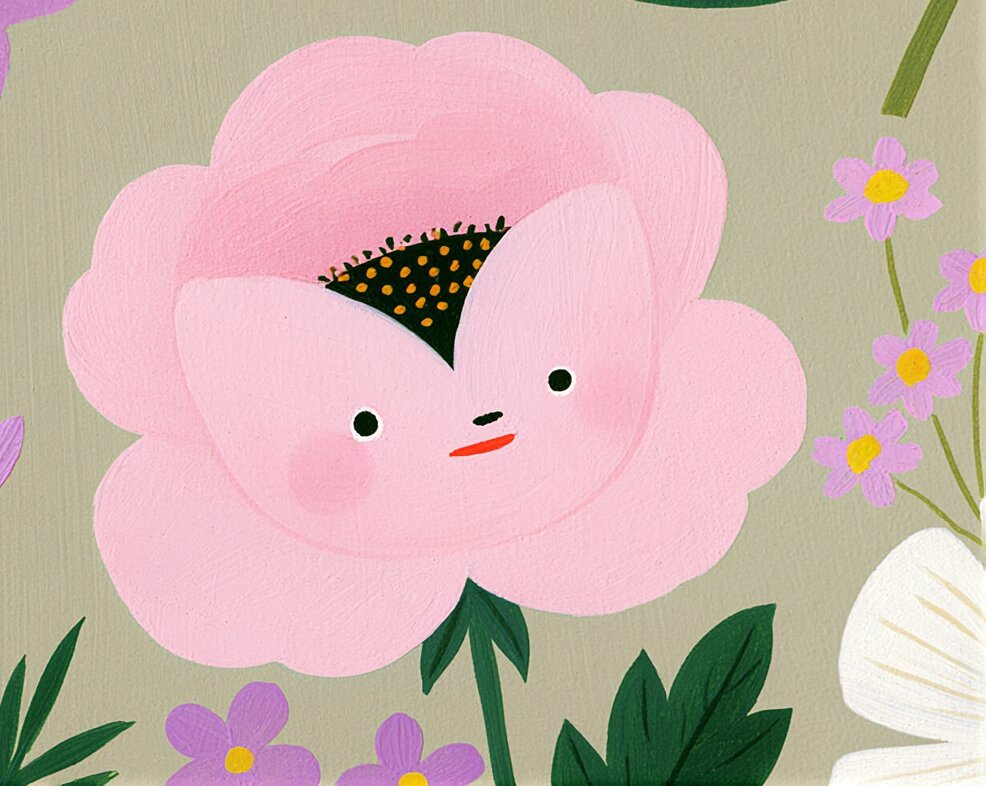
I do not know why. Midjourney does this sometimes — you ask for flowers and one of them decides to become a character. It is charming for about ten seconds, and then you remember somebody is going to sew this into a curtain.
Same tool, same fix. Spot Healing Brush, and the flower goes back to being a flower.
I did feel a little bad about it.
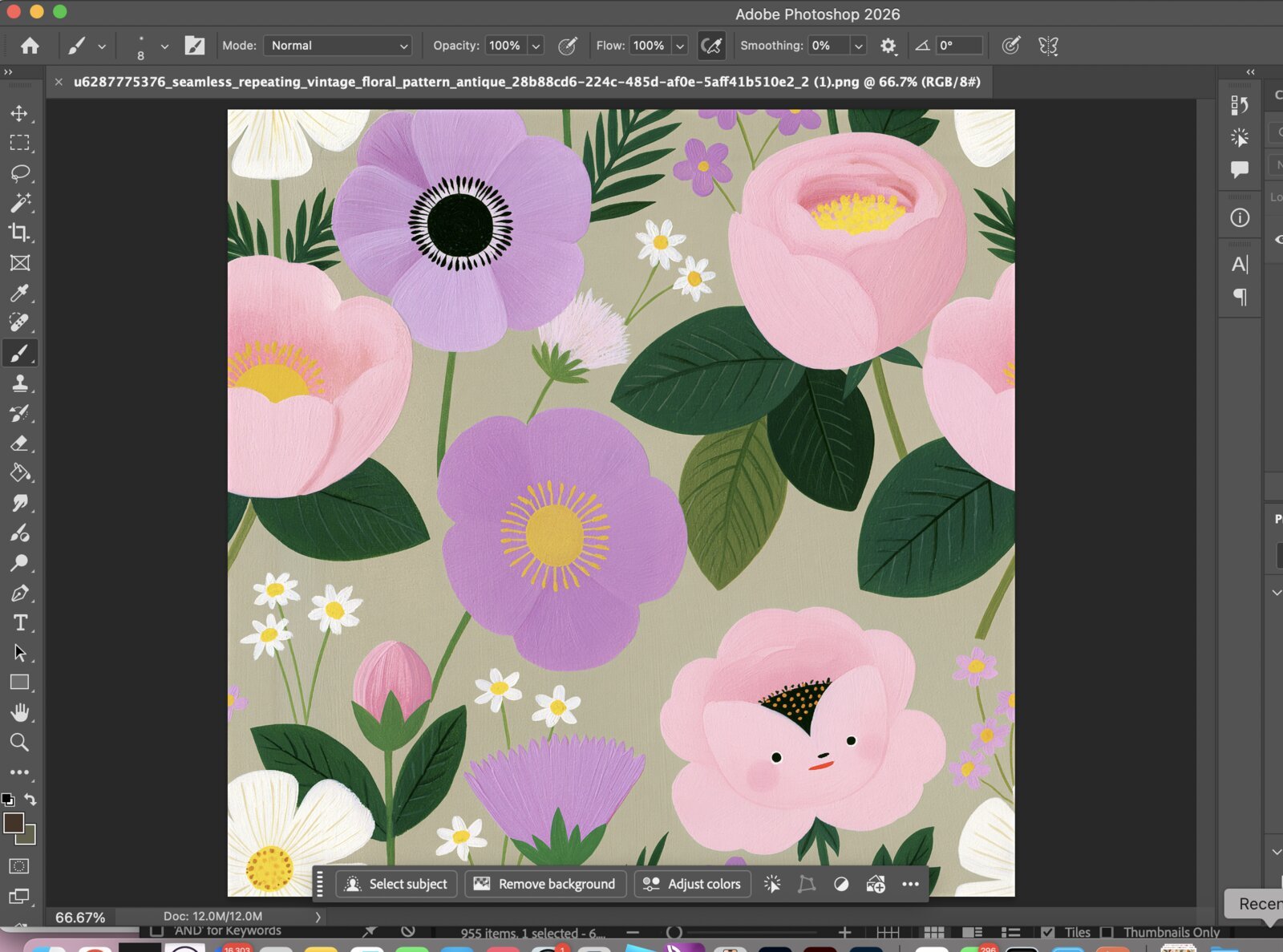
Nobody sees this step. It is most of the work, and it is the difference between a design that sells and one that gets returned.
Step 4: Uploading to Spoonflower
I upload at 2048 × 2048px. Spoonflower processes the file and marks it Proofed when it is ready, then you choose Private or For Sale.
The two prompts I showed you earlier became these two designs:
- Art-deco-sunburst-fan-teal-red
- Geometric-midcentury 01
Both of them have sold.
I am not going to pretend that made me rich — you will see the royalty math in a minute. But I want to be specific about it, because when I was starting I kept reading posts where nothing was ever concrete. These two prompts, those two designs, real orders from people I have never met.
If you want to see the rest of what I have made, they live in my Spoonflower shop.
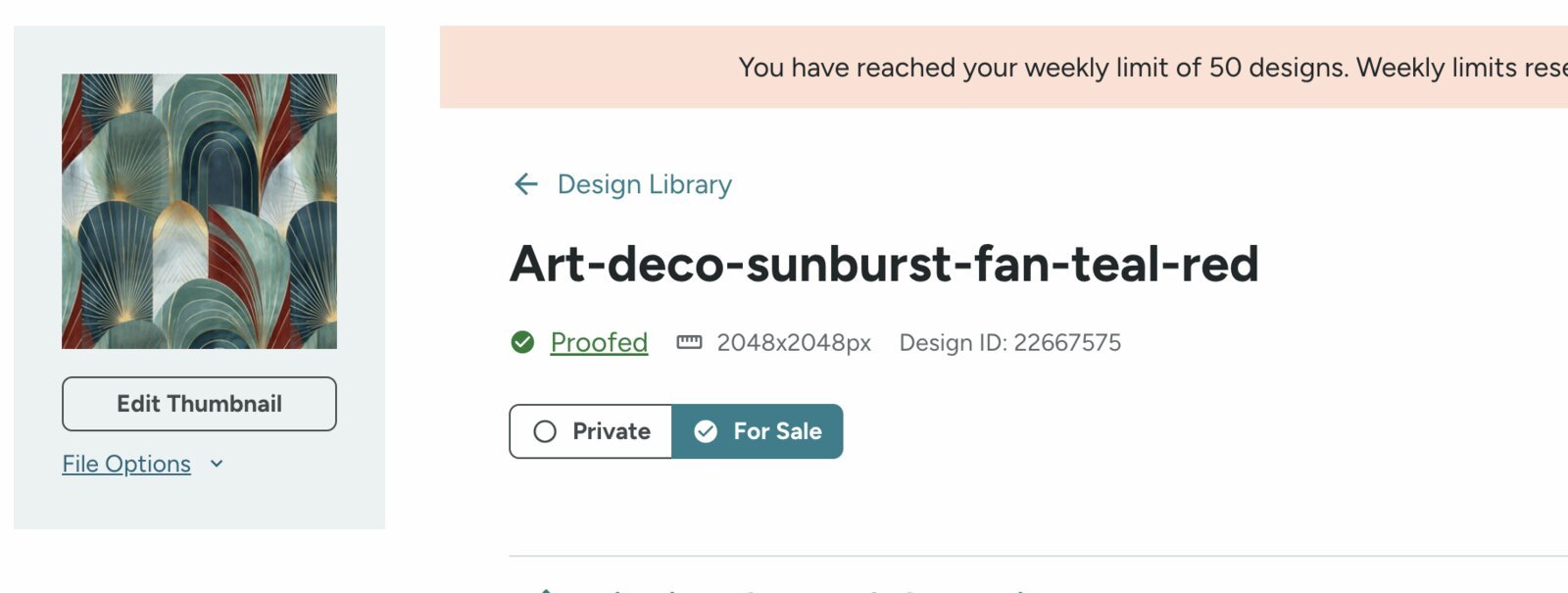
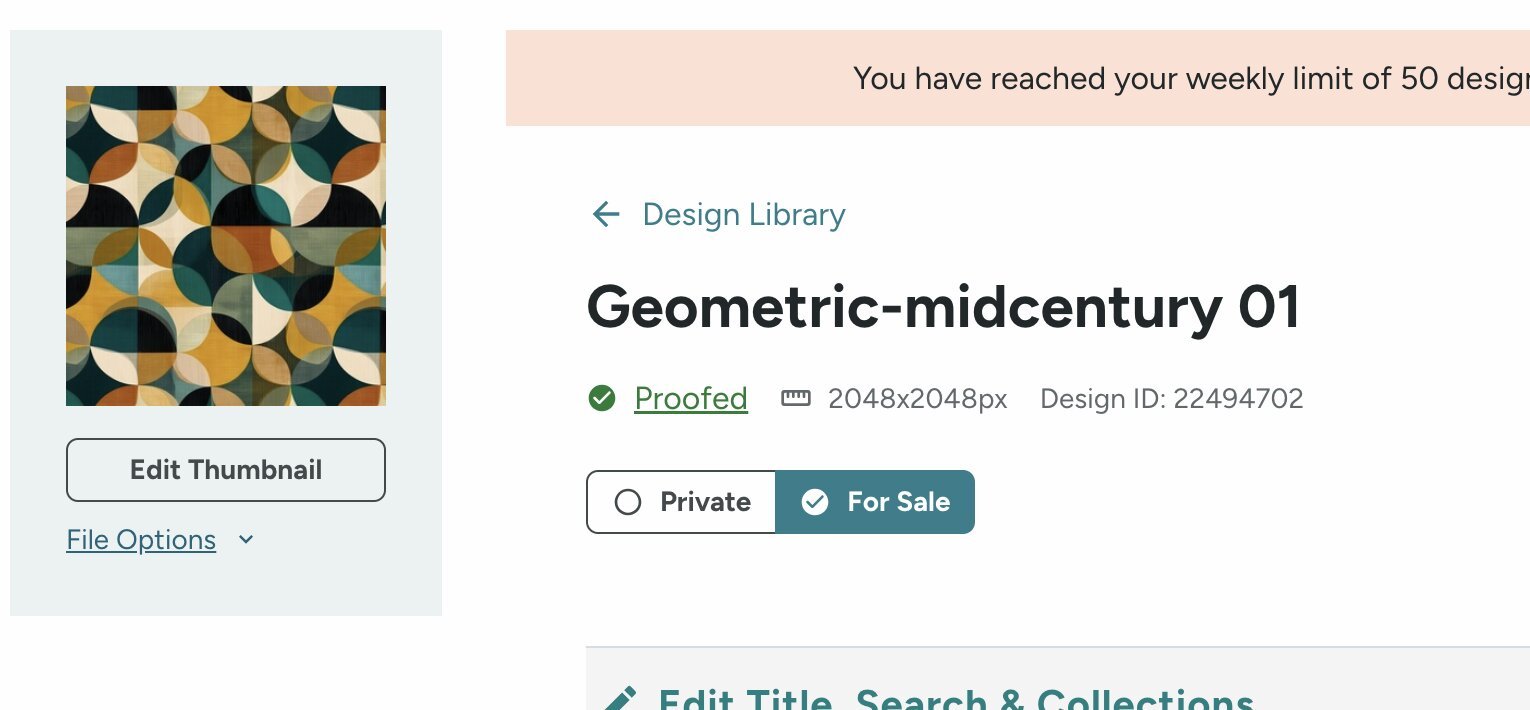
One limit worth knowing: Spoonflower caps uploads at 50 designs per week. I have hit it. If you are planning a big batch, spread it out.
Titles and tags are the entire discovery mechanism, so I write them thinking about what someone types when they want exactly this — art deco, sunburst, teal. Not pattern 12.
Checking a design without buying fabric
Here is my honest situation: I have ordered my own fabric exactly once, for that dress. Nothing since.
Not because I lost interest — because ordering a yard of every design is not realistic once you have dozens. That cost is the thing that quietly stops people.
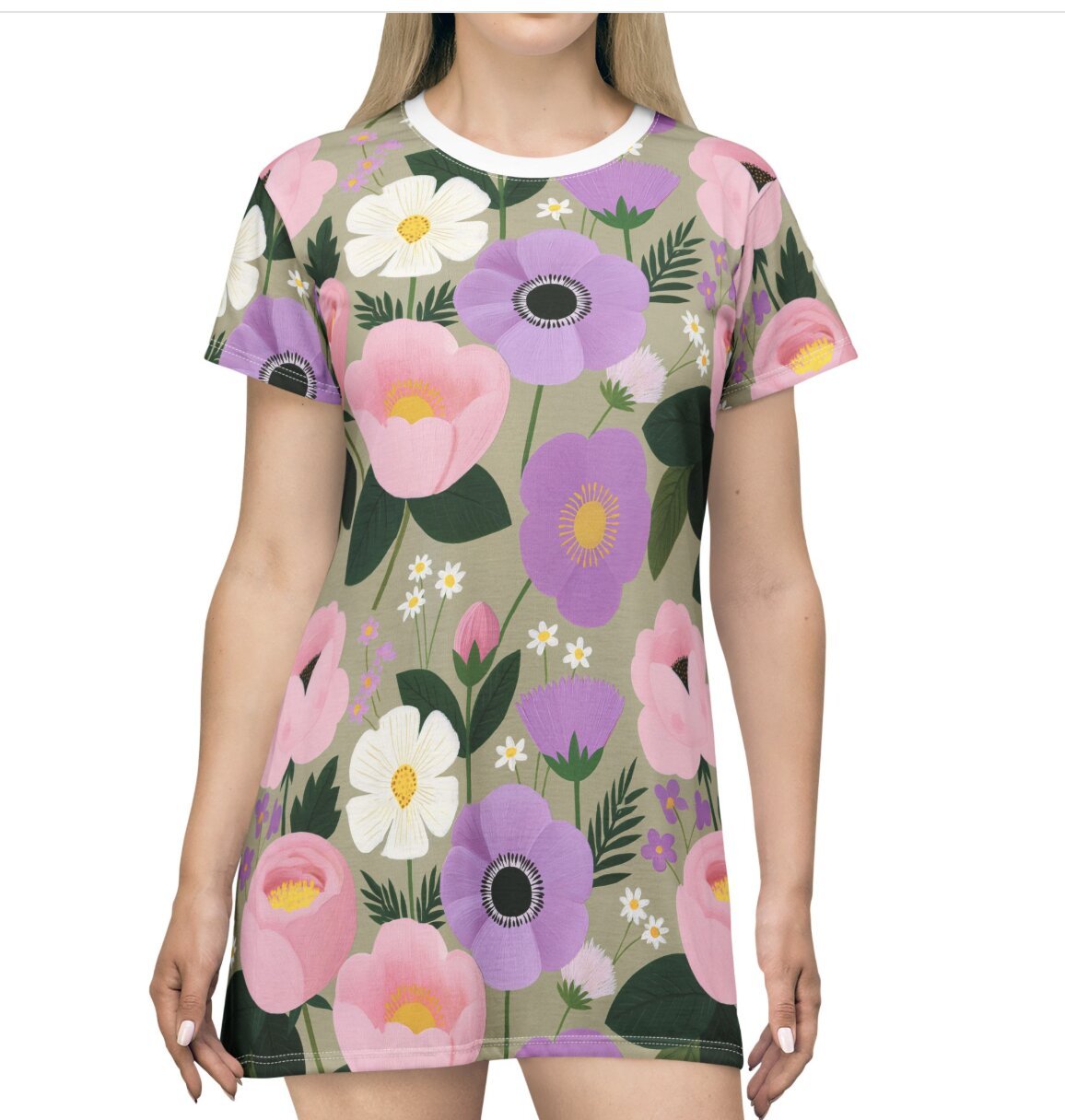
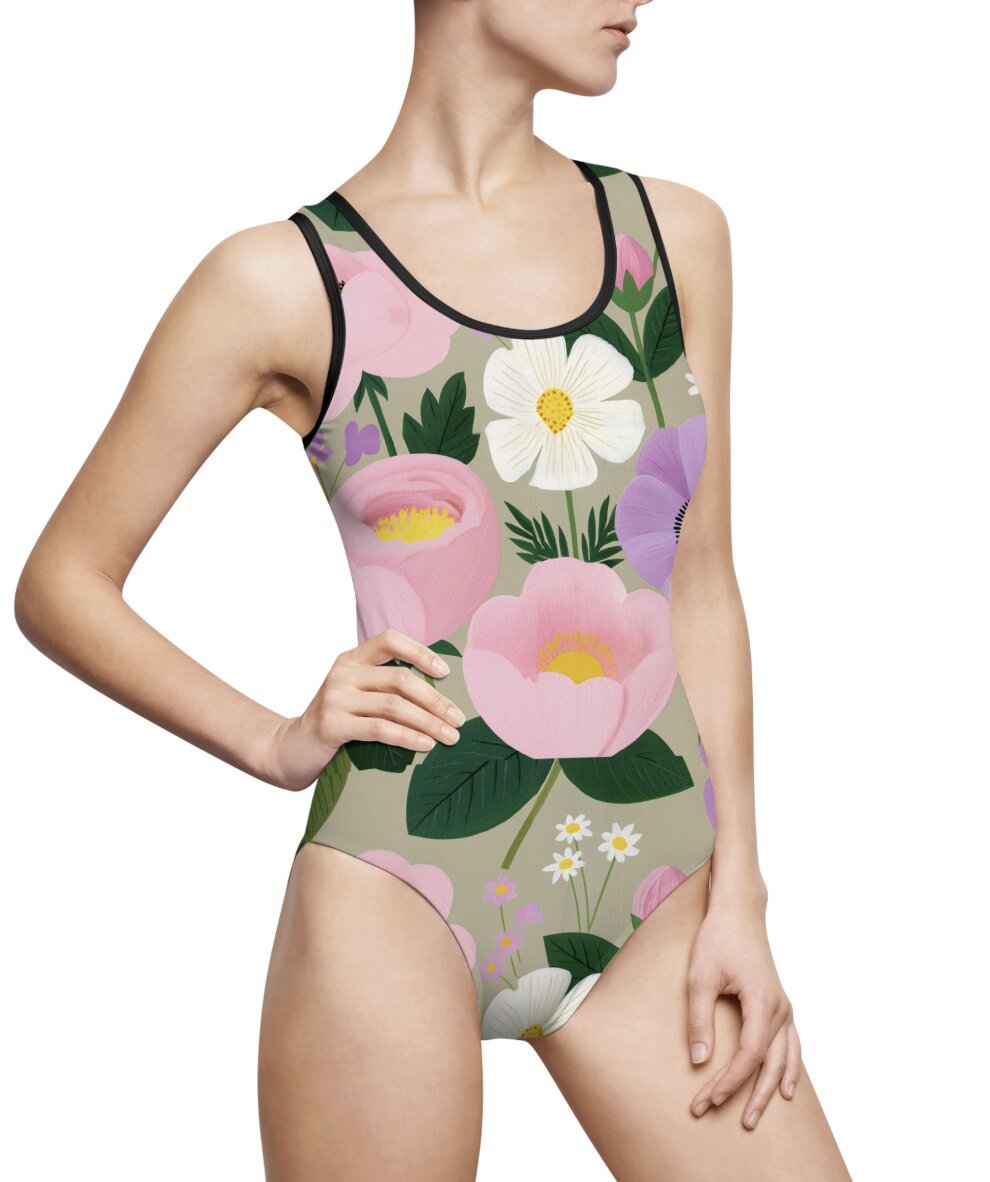
So I preview them as products instead. I put the finished pattern into Printify — a print-on-demand service with product mockup templates — and look at it as a dress, a swimsuit, a pair of sneakers. On a rack, the way a stranger would see it.
Printify is a separate thing from Spoonflower, and I am not selling through it. I am borrowing its mockups as a fitting room.
What that actually tells me:
- Scale. A motif that is lovely flat can read as chaos across a bodice, or vanish into a gathered skirt.
- Where the eye lands. Some prints have a hot spot you do not notice until it is sitting on a hip.
- Whether I still like it. That sounds soft, but it is the real one. Some patterns I loved flat, I saw as a garment and thought: no.
What it cannot tell me: true color, hand-feel, drape, how it takes a seam. Only fabric tells you that. So this is not a replacement for ordering — it is the filter that decides which one is worth ordering.
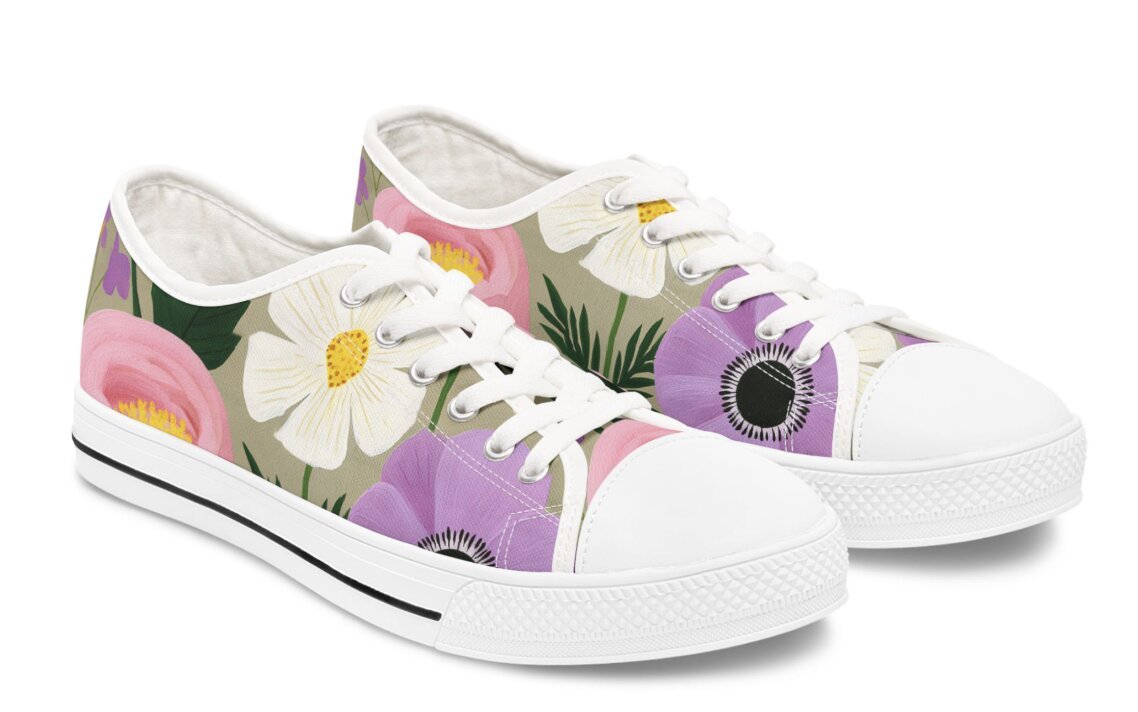
So the three tools do three different jobs, and it took me a while to sort that out:
| Tool | Job |
|---|---|
| Midjourney | Makes the pattern |
| Spoonflower | Sells it as fabric |
| Printify | Shows me what it looks like as clothing |
If you are just starting, do this before anything else. Make one pattern, see it as a garment, and ask whether you would wear it. That answer is free.
What Spoonflower actually pays
Let me be plain, because the internet makes this sound like a money faucet and it is not.
Spoonflower pays designers 10% of what the customer actually pays. There are bonus tiers, but they start well above where most of us live:
| Monthly sales | Total commission |
|---|---|
| Base | 10% |
| $3,000+ | 11% |
| $10,000+ | 13% |
| $15,000+ | 15% |
Payouts land every 14 days through PayPal once your balance clears $10.
Now the arithmetic. Someone buys a yard. You get ten percent of that one yard, bought by one person making one cushion cover.
It is not a lot. I want to say that clearly, because a lot of women get sold on passive income and then feel like they failed when reality shows up. The reality is small. That is not a sign you did it wrong.
What changes it is volume and time. Fifty-plus designs, each selling now and then, is a different situation from three — not because any one design does more, but because you stop depending on any one of them.
(Rates and policies change. Check Spoonflower’s help pages yourself before you build a plan around any number here.)
What changed in 2026 — the door is narrower
If you looked into this a while back and set it aside, the process is different now.
Since late May 2026, new sellers have to apply. Five distinct designs showing your range, plus tax forms (W-8 or W-9), and your shop only goes public after approval.
Five seamless designs before you are allowed to sell anything.
I started before this changed, so I did not have to clear it — I would rather say that than pretend I know the review from the inside. If you are applying, treat those five as a portfolio, not a warm-up. And this is exactly where the mockup trick earns its keep: you can see how all five read as finished products before you submit.
About AI and the rules
I get asked this constantly, so let me be careful.
Spoonflower’s published rules are about rights, not tools. You may only upload work you own or have the legal right to use. They say plainly that changing something 10% is a myth and protects nobody.
What their published policies do not currently do is single out AI-generated work either way.
So my honest read: the question is not whether AI is allowed. It is whether what you upload is genuinely yours and does not lean on someone else’s protected work. A prompt naming a living artist, a character, or a brand is a problem no matter what made the image.
If this matters to your situation, read Spoonflower’s terms yourself instead of taking my summary for it. Policies change, and I am a person who sews, not a lawyer.
What I check before a design goes public
Does it tile at every edge? Offset and look at all four, not just one.
Is the motif small enough? Fabric magnifies. When in doubt, size down.
Does it survive as a product? The mockup test. If it falls apart across a bodice, it will fall apart on a customer’s project.
Would anyone find it? Real words people search, in the title and tags.
Do I have rights to all of it? Every element, not most of them.
So — is it worth doing?
Worth it if you already make things and want fabric that does not exist. Something you designed ends up in a stranger’s house. That is genuinely lovely.
Worth it if you like the making. Designing patterns is absorbing the way good work is — I look up and two hours are gone.
Probably not worth it if you need meaningful income soon. At 10% a yard, that math needs a lot of yards.
I keep going because I enjoy it, and because every so often somebody in another state buys fabric I dreamed up at my kitchen table. That still gets me.
Frequently asked questions
Q. What is the one Midjourney setting I need for patterns?
A. --tile. Everything else is taste; that one is structural. Without it you do not get a repeat, you get a picture.
Q. What size and resolution should my file be?
A. I work at 150 DPI and size the square at 1800 × 1800px or 2048 × 2048px. At 150 DPI, 1800 pixels equals a 12-inch repeat — that number is what decides how large your pattern sits on the fabric.
Q. Do I need to be good at Photoshop?
A. Three things will carry you: Image → Image Size to set 150 DPI, Filter → Other → Offset (by half your canvas) to expose the seams, and the Spot Healing Brush to fix them. That last one is also how I remove whatever odd thing the AI slipped in. It is patience more than talent.
Q. Do I have to order my own fabric to sell it?
A. No. I have ordered mine once. For everything since, I preview the pattern as a product in Printify first — it catches scale and composition problems for free. Just know it cannot show you real color, drape, or how it takes a seam.
Q. Midjourney, Spoonflower, Printify — do I need all three?
A. Only Midjourney and Spoonflower are required: one makes the pattern, the other sells the fabric. I use Printify purely as a fitting room. Any mockup tool would do the same job.
Q. How many designs before something sells?
A. No number guarantees anything. With a handful, sales feel random. With fifty-plus, more like a small steady trickle. More designs mean more chances — not better odds per design.
Q. Is there a limit on uploads?
A. Yes — 50 designs per week. I have hit it. Plan your batches around it.
Q. Does Spoonflower allow AI-generated patterns?
A. Their published rules focus on whether you hold the rights to what you upload, not on which tool made it. They do not currently address AI specifically. Check their terms directly before building a shop around it.
One last thing
If you have been circling this idea, start with one pattern. Run it with --tile, clean up the seams, and look at it as a garment before you spend anything.
You will know within a minute whether you would wear it. And if you would, everything after that is just steps.
And if you would rather just look at fabric for a while, here is my shop. That is a perfectly good way to spend an afternoon too.
- I Designed My Own Fabric with AI — and Then Sewed It Into a Dress — where this started
- How to Write AI Image Prompts: 5 Simple Formulas for Beginners — if prompts feel like the hard part
Have you made a pattern before? Tell me in the comments what you would want to design.