How to Turn Kids’ Art into a Wearable Keepsake
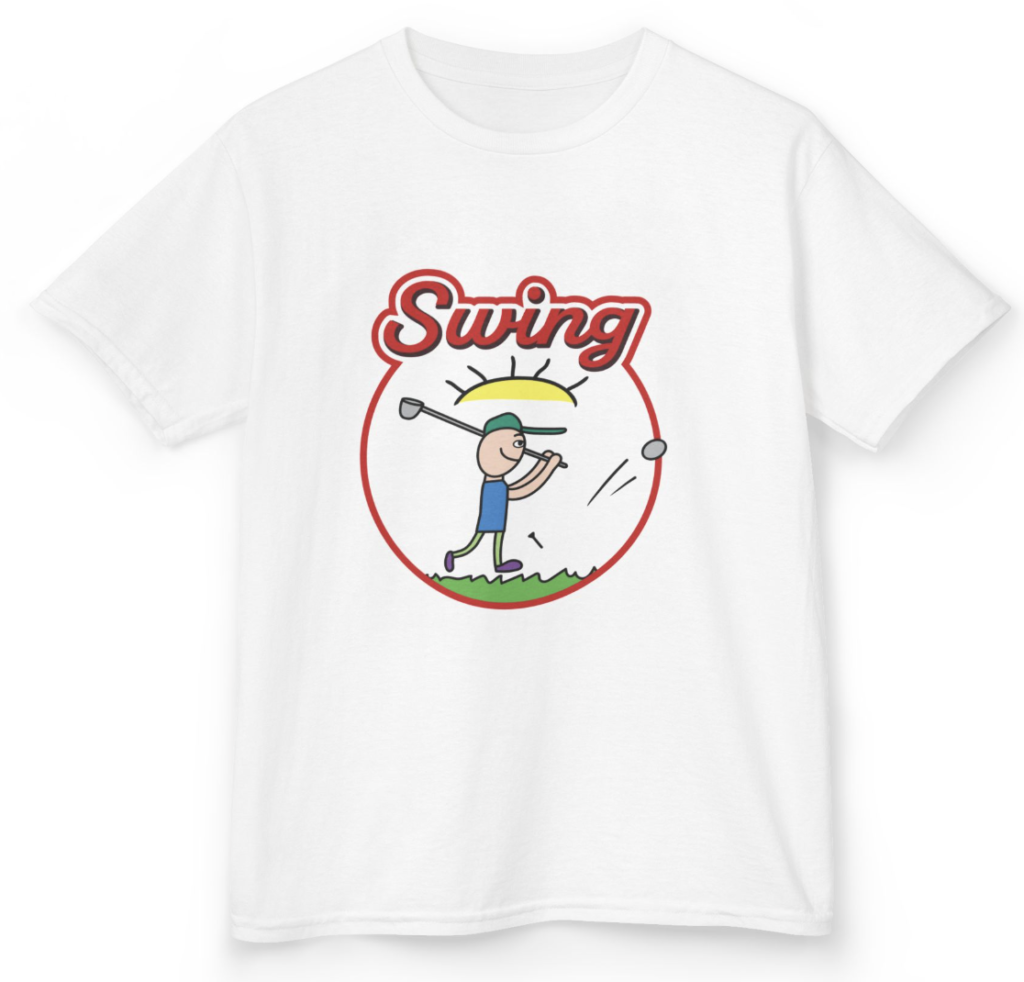
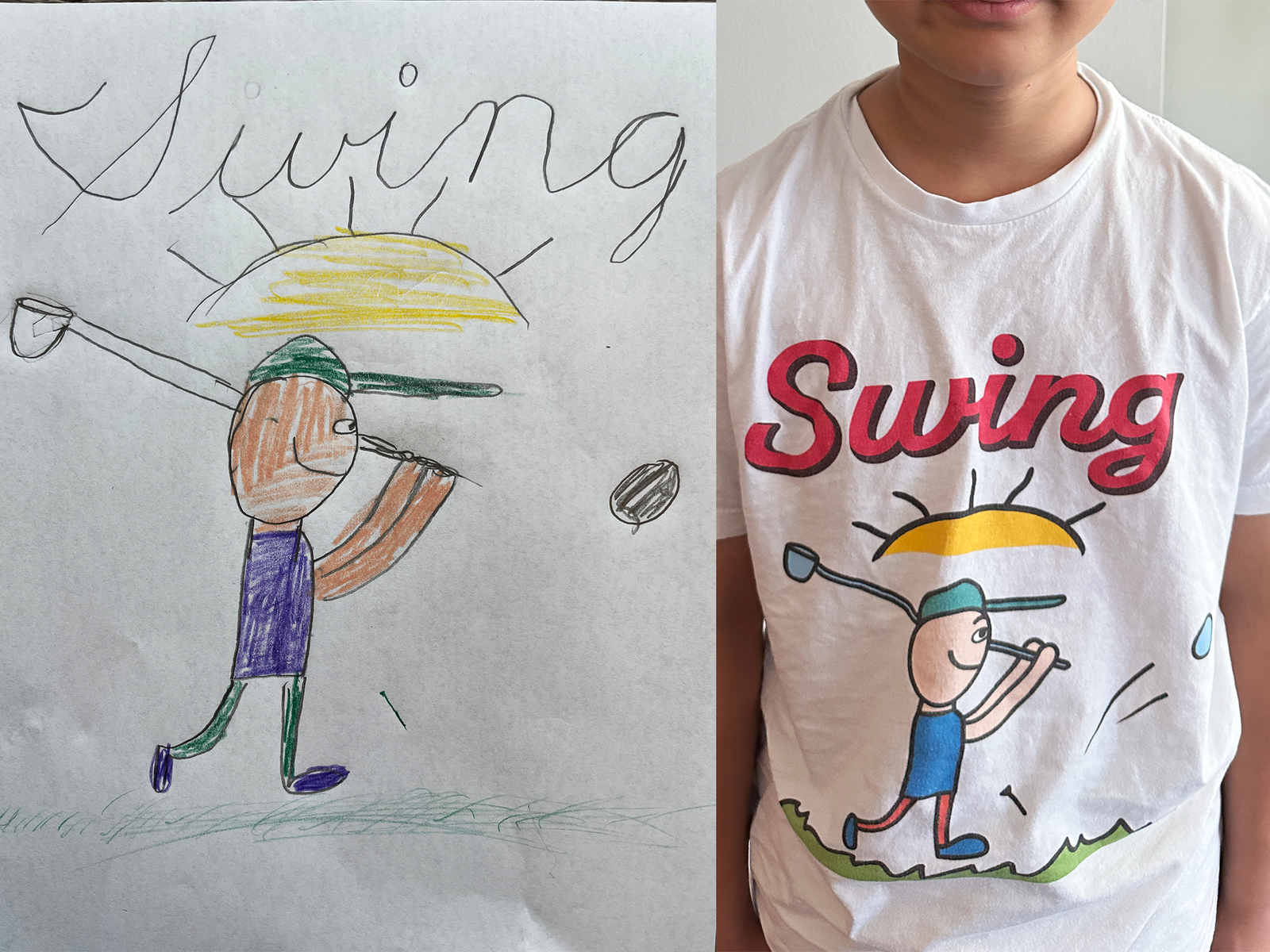
One afternoon my son handed me a drawing: a little golfer mid-swing — orange shirt, purple shorts, a green club, a big yellow sun, and the word “Swing” written across the top in his own wobbly handwriting and asked me to make t shirts.
So I made it. And when he put it on and spun in front of the mirror, grinning at his own artwork on his chest — that was the whole reward. 🏌️
Here’s exactly how I did it, in a way anyone can follow (no drawing skills required). The magic isn’t fancy software — it’s one simple idea you’ll see in a second.
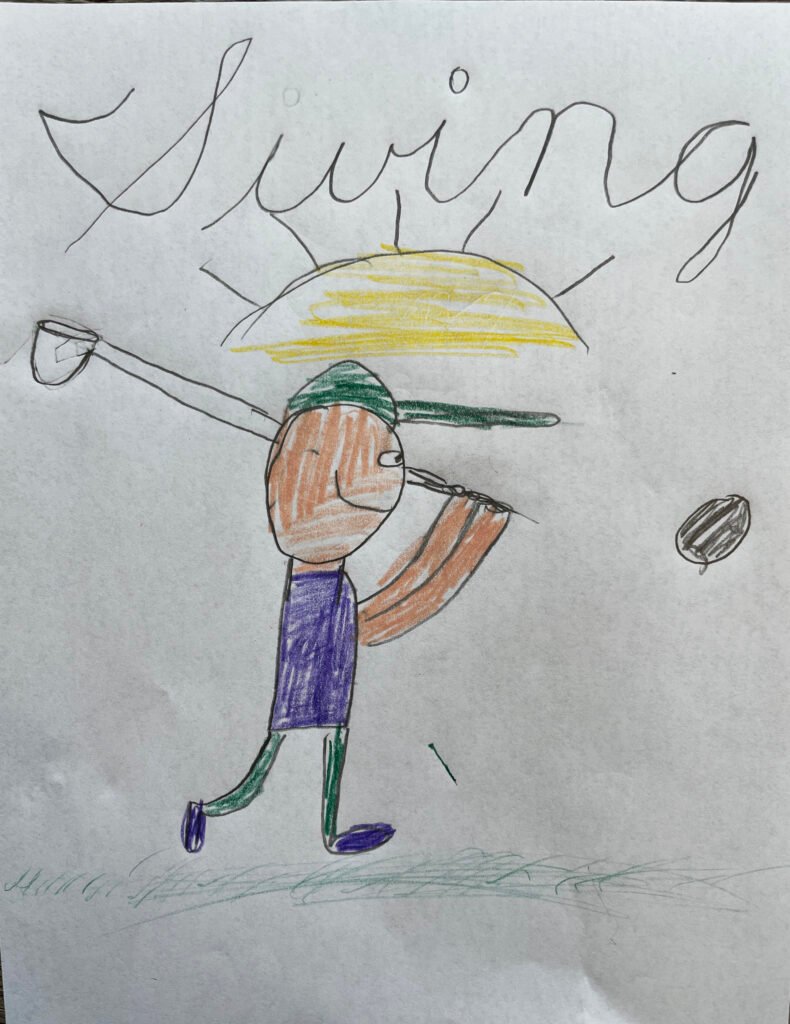
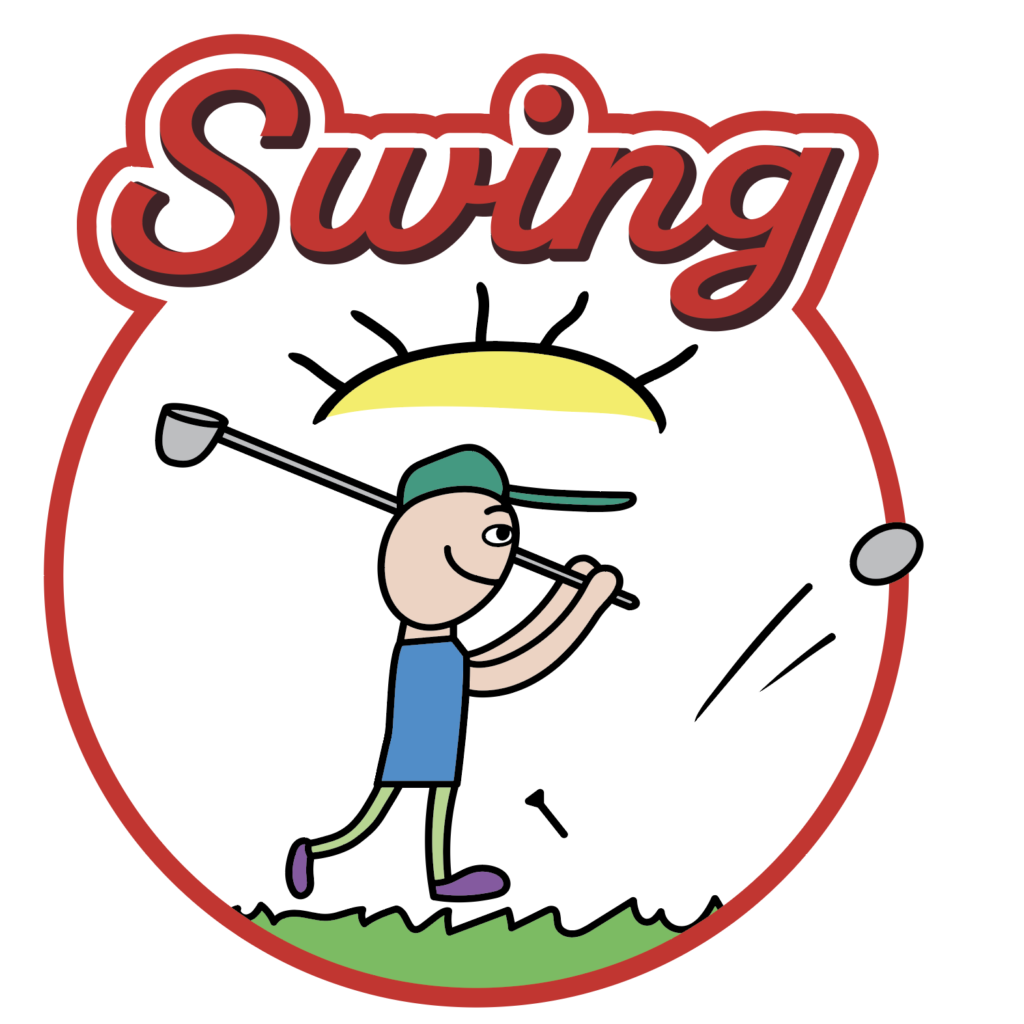
My son’s “Swing” golf drawing (left)
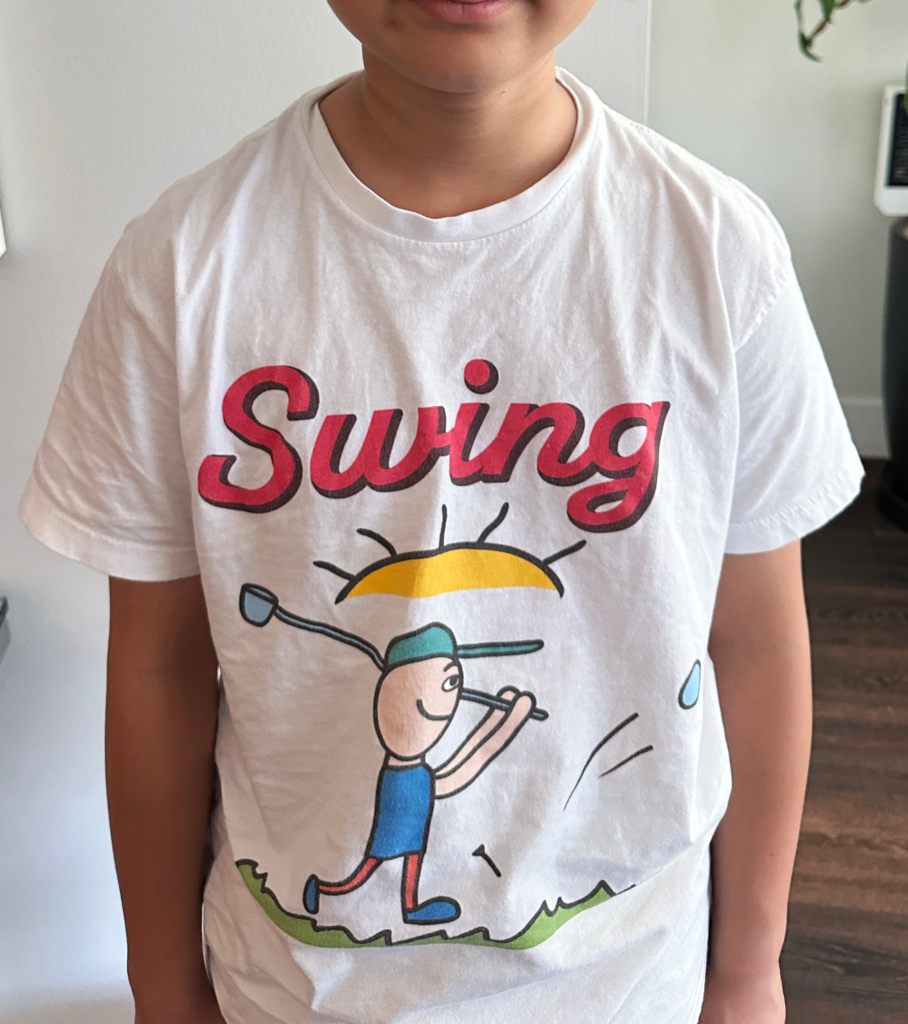
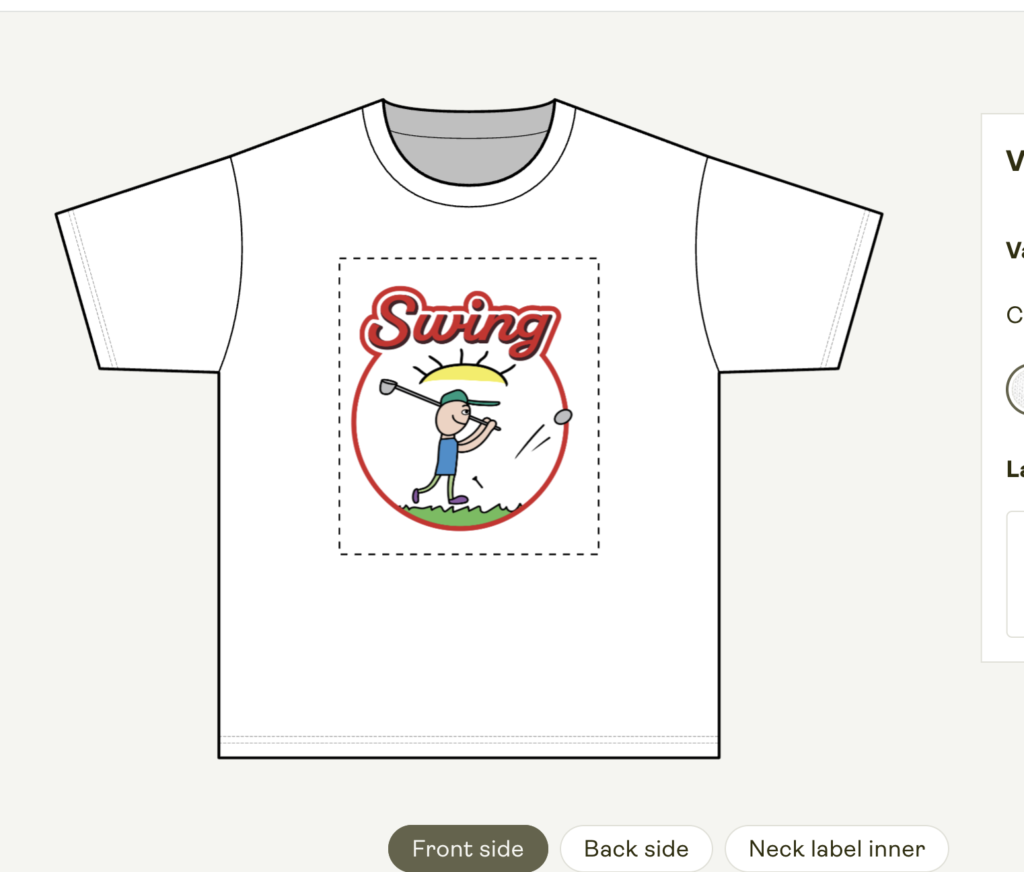
became a real t-shirt (right)
The secret: don’t “fix” it
Your first instinct will be to clean the drawing up and make it neat. Resist that. Those slightly crooked lines and his hand-lettered “Swing” are exactly what make this shirt one-of-a-kind. The goal is to tidy it just enough to print well — while keeping your child’s style fully intact. As a former designer, that’s the part I cared about most.
Step 1 — Scan the drawing (or photograph it well)
-
- Use a scanner, or shoot it flat near a window with no shadows.
- Keep the crayon texture and pencil lines visible — don’t go too dark.
- Tip: the bolder the color areas (that yellow sun, the purple shorts), the cleaner the result.
Step 2 — Tidy it in Illustrator (keep the character!)
Adobe Illustrator’s Image Trace turns a hand drawing into crisp vector art (vector = art that stays sharp at any size — perfect for printing).
- Place image → Image Trace → pick a color-keeping preset (e.g. “Sketched Art” or a color option)
- Hit Expand to lock the vector → clean up only the paper smudges (leave your child’s lines untouched)
- Set the background to transparent so it sits naturally on any shirt color
- Keep the “Swing” handwriting exactly as is — that’s the signature
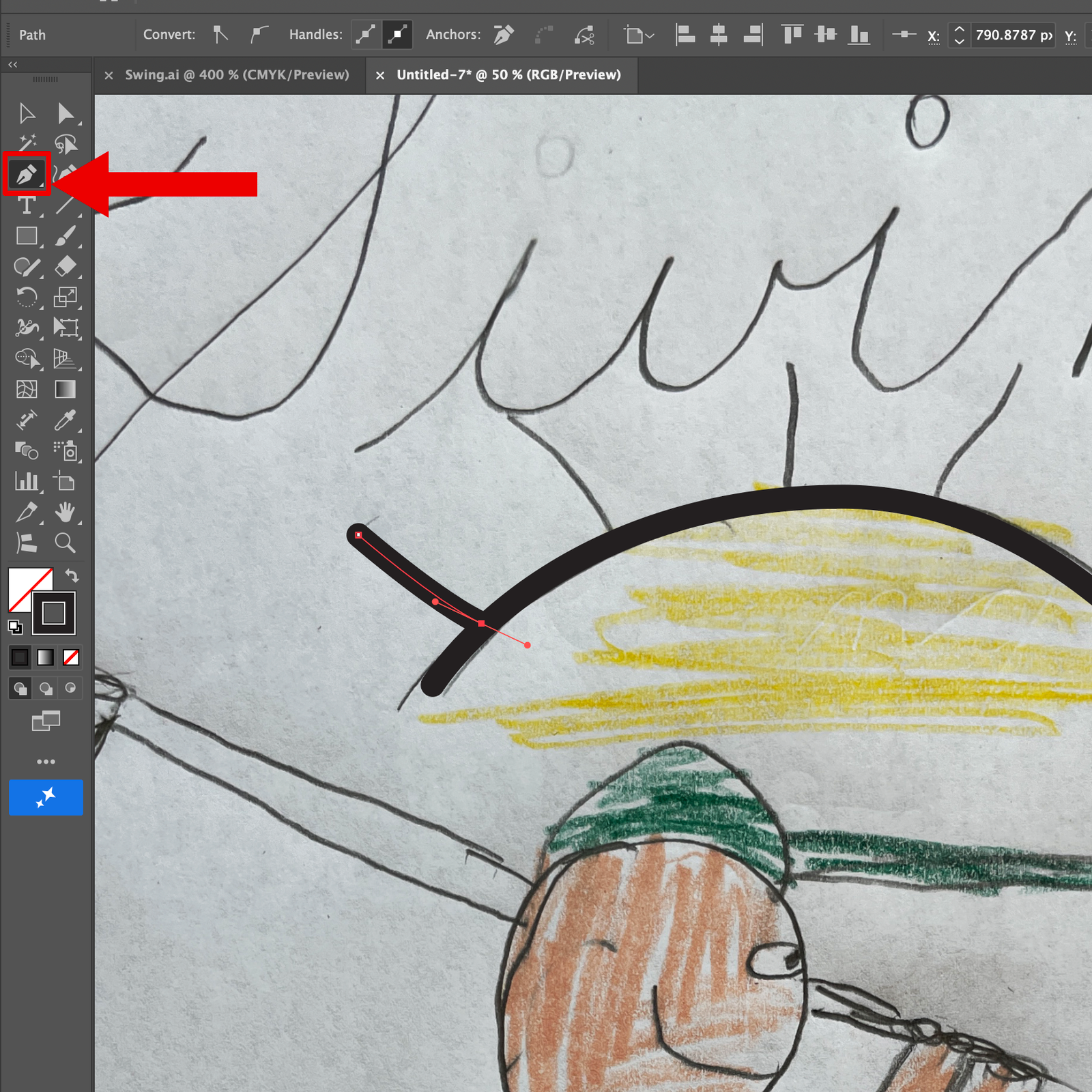
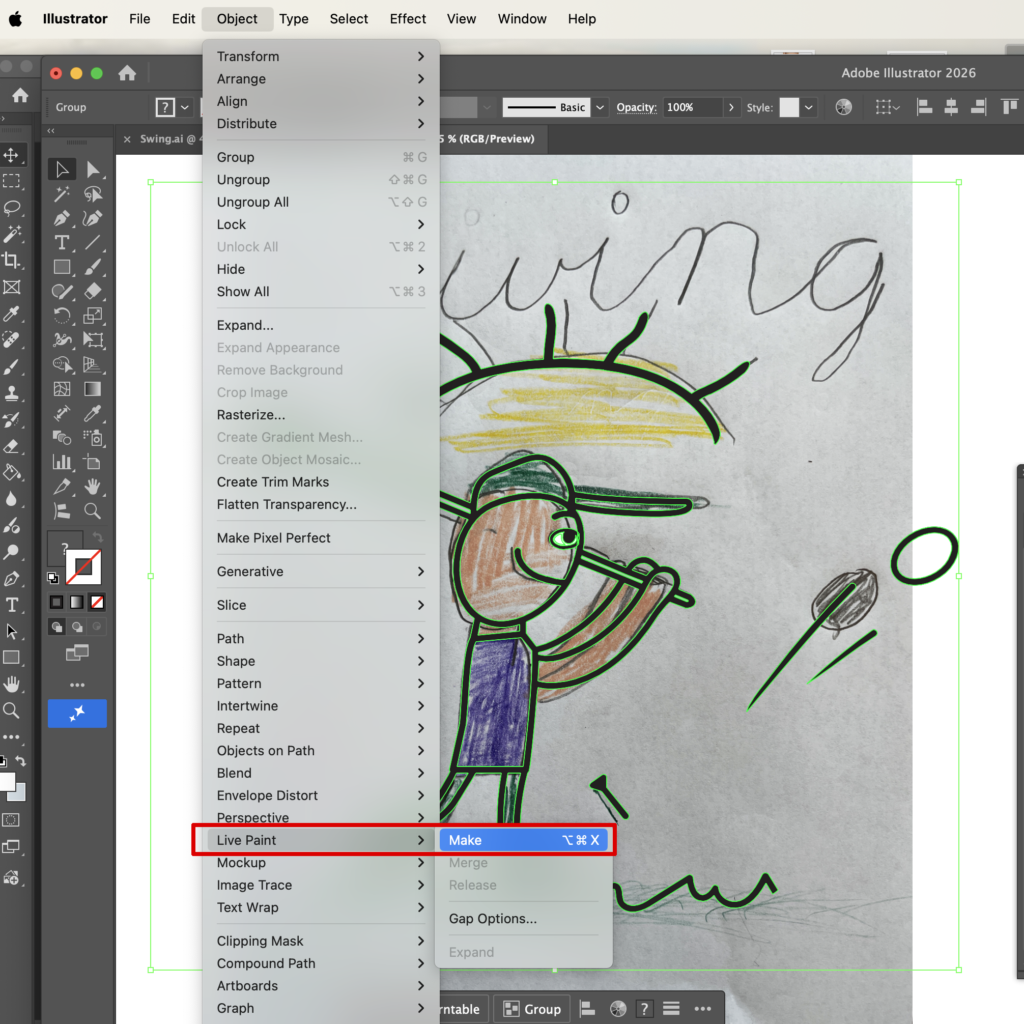
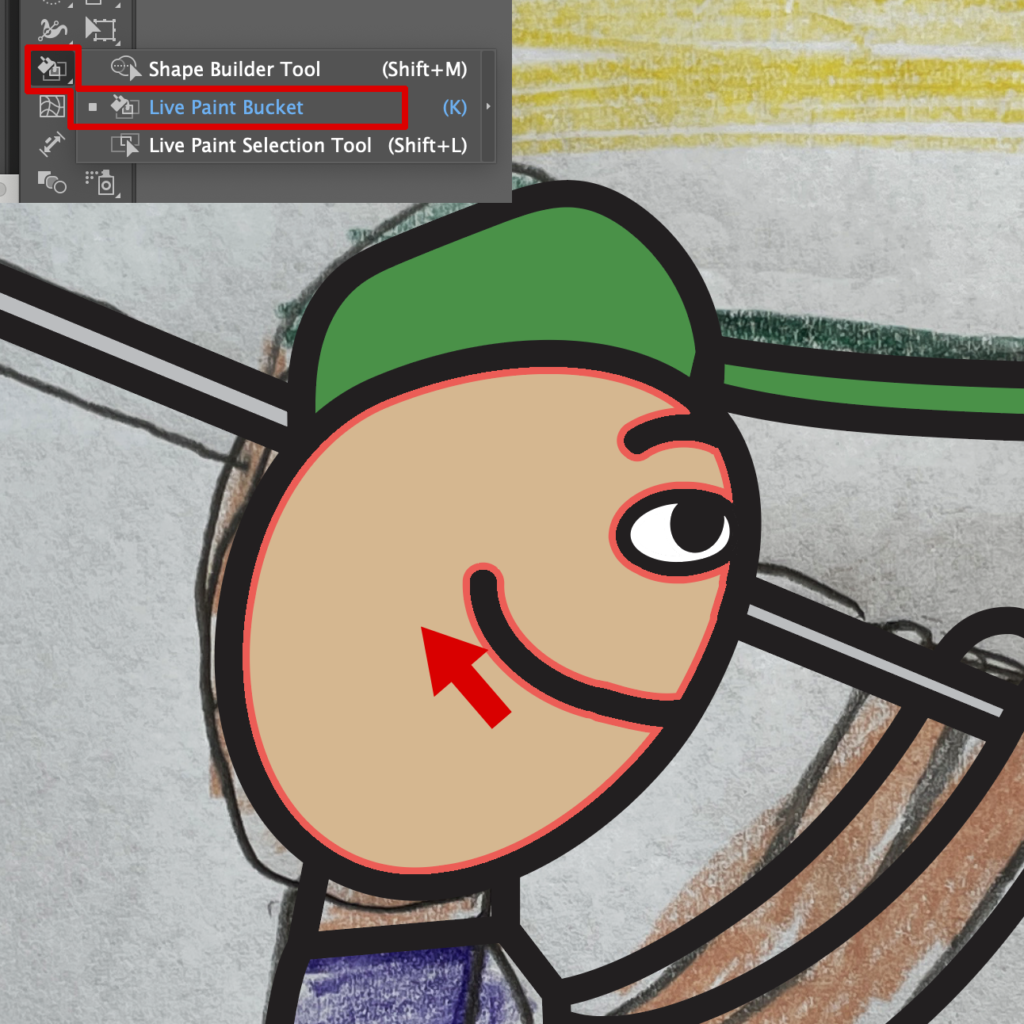
Another way, Use Adobe Illustrator’s Pen tool and live bucket tool to make simple & clean drawing style.
- Left tool box → Select Pen tool→ pick a stroke size to adjust your line thickness-draw all out lines.
- Select all line drawings you finish and go to top menu, Object-Live paint -make to live your drawing → choose foreground color you want to paint- select live paint bucket tool– click area that you want to fill in color )
- if coloring is done. expand the object.
- Add “Text ” with any profer fonts you like.
Step 3 — Prepare the print file
- Export as a PNG with a transparent background, high resolution (300 DPI recommended).
- For a chest print, aim for about 10–12 inches tall.
Step 4 — Order through print-on-demand (Printfy) or Rush order Tee.
I used print-on-demand (POD) so I could make just one — no minimums. The service prints and ships only when an order comes in, so there’s no inventory to deal with.
- Choose a t-shirt product → upload your PNG → position and size it → check the preview
- Always order one first to check the color and print quality
- Love it? Make more for the family — or open it for sale
How to Make Your Own T-Shirt with AI: My Honest Experience from Design to Print
Frequently Asked Questions (FAQ)
- Q. Do I need any design or drawing skill?
A. No. Your child does the drawing; you just scan, tidy, and upload. Image Trace handles the hard part.Q. Can I keep handwriting like “Swing”?
A. Absolutely — that’s the best part. It vectorizes and prints exactly as your child wrote it.Q. Can I really make just one?
A. Yes. Print-on-demand prints a single shirt — zero inventory.Q. Can I make a batch (like team shirts)?
A. Definitely. Order the same design in multiples and it’s perfect for a golf team or family set.Q. Can I sell them?
A. It’s your child’s art, so you hold the rights. You can list it as a product on a POD service.
Final thoughts
Kids’ drawings only come in that style for a little while. Pick one and start today — the look on your child’s face when they wear their own art is something you won’t forget. 💛
Made one? Tell me what drawing you used in the comments. Next time I’ll share this process as a short video too.
I Designed My Own Fabric with AI — and Then Sewed It Into a Dress